Airbrake has a Java library that can be used in your Grails application fairly easily. A couple of items that the library doesn’t do is make it simple to pass session / request data to Airbrake. I also found that the backtrace is somewhat jumbled when viewing it on Airbrake. Phuong LeCong wrote an excellent plugin to enhance the library. I have recently published an updated version of the plugin (with Phuong’s consent) to the Grails plugin repository.
Let’s take a look at how simple it is to use.
Installation
Installation is very simple. Simply add the plugin to your BuildConfig.groovy file:
1 2 3 | |
Next time your app compiles, the plugin should be installed and ready to go.
Integration
It’s nearly as simple to integrate the notification process into your Grails application. This is done by adding a log4j appender into your Config.groovy file. Make sure that you update the appender config with the correct project API key from Airbrake.
1 2 3 4 5 6 7 8 9 10 11 12 | |
After the appender is in place, you need to let your Grails app know to use it as a global appender. Add 'airbrake' to your root debug node:
1 2 3 4 5 6 7 8 9 10 11 12 13 14 15 16 17 18 | |
Once this is all in place, you should be able to test it out.
Testing
To test the Airbrake exception notification, an exception must be thrown in your application when running. The plugin offers a simple way to generate an exception without mucking around with your code.
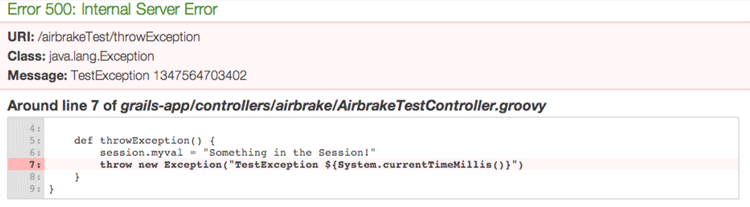
To force an exception, run your application and visit http://localhost:8080/airbrakeTest/throwException. You should see a page similar to this:
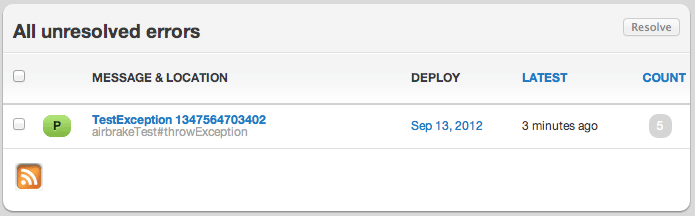
Now log into Airbrake.io and you should see your exception listed.
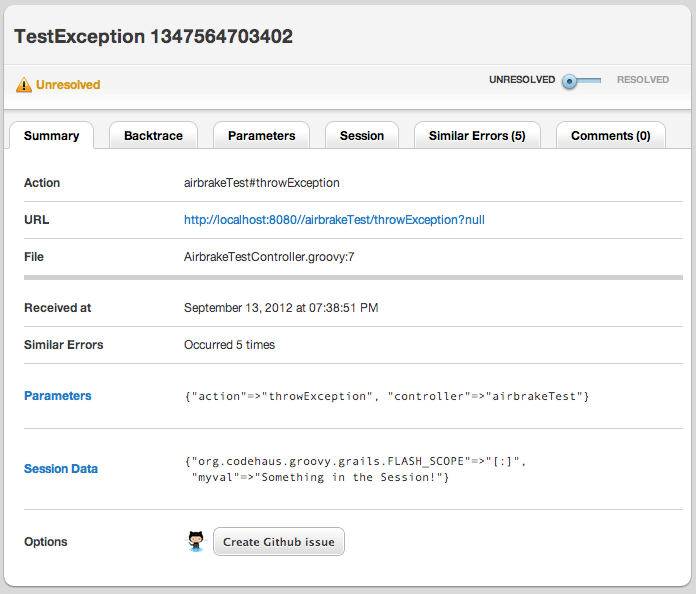
As you can see, not only is the stacktrace available, but also the request parameters and the session data.
I wanted to thank Phuong LeCong for his hard work on this. I also appreciate the Grails community, especially the core contributors for the hard work they do to keep us all happy developers.